Create Stunning Presentations with Moreless Power Point Template
Imagine having a toolkit that transforms your ideas into visually cohesive, professional presentations in minutes. The Moreless Power Point Template is designed to do exactly that, offering a comprehensive suite of slides that blend modern typography with clean, adaptable design. Whether you're building a brand pitch, a portfolio showcase, or a detailed report, this template provides the structure and aesthetic flexibility to make your content shine.
A Foundation of Flexibility and Polish
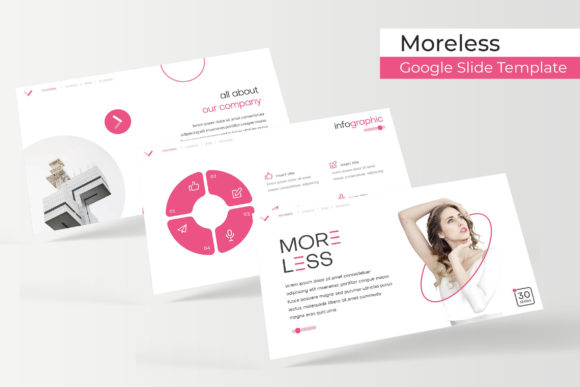
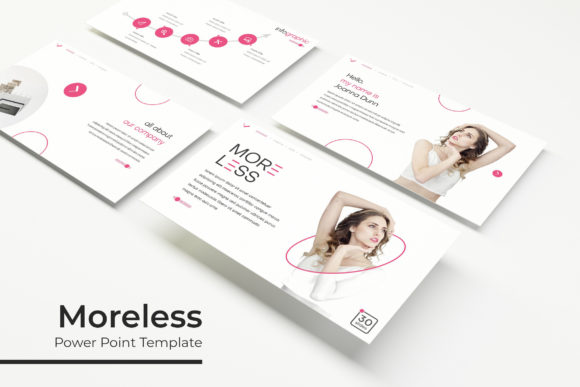
At its core, the Moreless Power Point Template is built for creators who value both form and function. It includes over 150 total slides, organized into five premade color themes—each containing 30 meticulously crafted slides. This variety ensures you can match the template to your brand's identity or the specific mood of your project without starting from scratch. The design emphasizes pixel-perfect illustrations and handcrafted infographics, which help translate complex data into clear, engaging visuals.
Practicality is key. Every graphic element is resizable and editable, with picture placeholders that support drag-and-drop functionality. This means you can easily swap images, adjust charts, or modify text blocks without disrupting the slide's underlying structure. Based on master slides, the template maintains consistency across your entire presentation, saving you hours of manual alignment and formatting.
Creative Use Cases for Modern Projects
This template isn't just for corporate meetings. Its versatile design suits a range of creative applications. Consider using it for:
- Brand and identity presentations: Showcase your logo design process, color palette, and brand guidelines with slides that reflect a modern, professional aesthetic.
- Portfolio and gallery displays: The dedicated gallery and portfolio slides let your work take center stage, perfect for designers, photographers, or artists.
- Marketing and social media strategy: Outline campaign plans, content calendars, or performance reports using infographics that are both informative and visually appealing.
- Editorial and packaging design proposals: Present mockups, mood boards, and design concepts in a layout that feels polished and intentional.
The inclusion of section break slides helps organize your narrative, guiding your audience through each part of your story seamlessly. For those who value typography, the template pairs well with various font styles—whether you prefer a clean sans serif for body text or a distinctive display font for headlines, the layout accommodates thoughtful font pairing to enhance readability and impact.
Tips for Choosing and Using the Template
When selecting a presentation template, it's wise to consider how it aligns with your project's goals. The Moreless Power Point Template excels in scenarios where visual consistency and professional polish are priorities. Before diving in, think about your content's structure: use the section slides to break down complex topics, and leverage the infographic elements to simplify data-driven points.
Customization is straightforward. Start by selecting one of the five color themes that best fits your brand or message. Then, replace placeholder images with your own photographs or graphics—keeping in mind that high-quality visuals will elevate the overall feel. The template's editable graphics allow you to adjust colors, shapes, and sizes to fine-tune every detail. For a cohesive look, consider using a complementary font for your body text that matches the template's clean lines, ensuring your presentation looks both unique and unified.
Ultimately, a well-designed template like this one does more than organize information—it enhances how your ideas are perceived. By providing a reliable framework, it lets you focus on crafting your message while the design handles the visual storytelling. Whether you're a freelancer, a startup, or part of a creative team, having such a resource at your fingertips can streamline your workflow and elevate the professionalism of your deliverables. It’s about giving your work the presentation it deserves, one slide at a time.