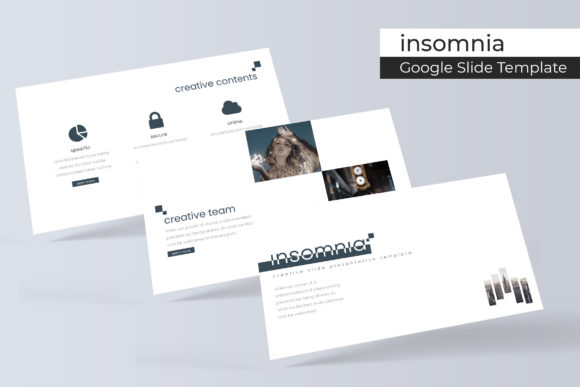
Six Google Slide Template: A Versatile Design System
Finding a presentation template that feels both unique and professional can be a challenge, but the Six Google Slide Template offers a comprehensive design system built for versatility. This collection isn't just a single set of slides; it's a toolkit featuring 150+ total slides across 5 premade color themes, providing 30 distinct slides for each template variation. This structure allows creators to maintain visual consistency while adapting to different brand palettes or project moods effortlessly.
At its core, the Six Google Slide Template is designed for practicality and polish. Every element, from the pixel-perfect illustrations to the handcrafted infographics, is built on master slides. This foundation ensures that resizing and editing graphics is seamless, thanks to intuitive picture placeholders that support a simple drag-and-drop workflow. Whether you're building a business proposal, a creative portfolio, or an educational lecture, the underlying design system helps you work faster without sacrificing a custom, professional look.
Practical Use Cases for This Presentation Design Asset
The true value of a robust template system like this lies in its adaptability. Consider these scenarios where it can streamline your workflow and elevate your output:
- Brand Identity & Client Pitches: Use the five color variations to quickly mock up presentations tailored to different client brand guidelines. The consistent structure across slides helps reinforce brand identity and makes your pitch look meticulously prepared.
- Portfolio and Gallery Showcases: The dedicated gallery and portfolio slides are perfect for designers, photographers, or agencies. They provide a clean, focused frame for your work, letting the projects speak for themselves without distracting design elements.
- Internal Reports and Team Updates: Transform mundane data into engaging narratives with the handcrafted infographic slides. The section break slides are ideal for clearly segmenting different topics, making complex information easier to digest for your team or stakeholders.
This template also excels in educational and marketing contexts. Teachers can create visually rich lesson plans, while marketers can develop compelling campaign decks or social media strategy outlines. The widescreen format is optimized for modern displays, ensuring your content looks sharp in any setting.
Tips for Choosing and Using Your Template Effectively
While the Six Google Slide Template provides a strong starting point, a few thoughtful adjustments can make it truly your own. First, always check the readability of text over any custom backgrounds you add. The included free font is chosen for its clarity, but pairing it with a complementary typeface from your own library can add a unique touch. Test different font pairings for headings and body text to find the right balance for your project's tone.
Remember that the photographs and pictures in preview files are for illustration only and are not included. Source your own high-quality images that align with your message. The resizable and editable graphic placeholders make it easy to drop in your visuals and adjust the composition without breaking the slide's layout. This flexibility is crucial for creating social media graphics, poster designs, or web presentations that feel cohesive and intentional.
Ultimately, investing in a well-structured design asset like this is about efficiency and quality. It removes the friction of starting from a blank slide, allowing you to focus on your content and narrative. The result is a polished, professional presentation that enhances your credibility and helps your ideas stand out with clarity and visual appeal.