Transform Your Presentations with Haval Google Slide Template
Are you searching for a presentation template that combines modern elegance with unmatched versatility? The Haval Google Slide Template is designed to elevate your visual storytelling, offering a comprehensive suite of over 150 meticulously crafted slides. This isn't just another template; it's a complete design system built to help professionals, educators, and creatives deliver polished, impactful presentations with ease.
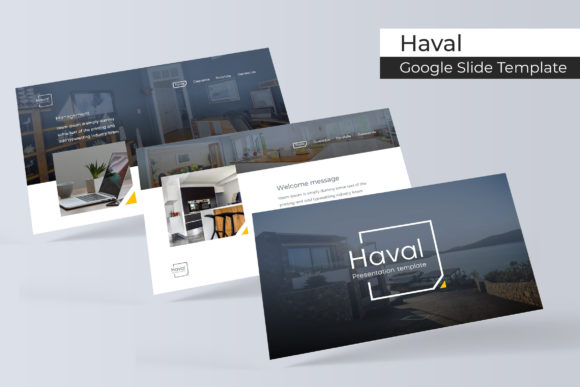
At its core, the Haval template provides five premade color variations, each containing 30 unique slides. This structure allows you to instantly switch between color schemes to match your brand identity or the specific mood of your project, ensuring your presentation always looks cohesive and on-brand. The pixel-perfect illustrations and handcrafted infographics transform complex data into clear, engaging visual narratives.
Key Features for Seamless Design
What truly sets this template apart is its focus on user-friendly design and professional results. Every element is built on master slides, guaranteeing consistency throughout your deck. The drag-and-drop picture placeholder and fully resizable, editable graphics mean you can customize everything without starting from scratch. Whether you're creating a corporate report, a creative portfolio, or an educational lecture, the tools are at your fingertips.
- 150+ Total Slides: A vast library covering all presentation needs.
- 5 Premade Colors: Instant theme switching for brand alignment.
- Handcrafted Infographics: Make data beautiful and understandable.
- Master Slide Based: Ensures uniformity and saves time on edits.
- Pixel-Perfect Illustrations: Crisp, professional visuals at any size.
Practical Applications and Creative Freedom
Imagine needing to prepare a pitch for investors, a quarterly business review, or a keynote for a conference. The Haval Google Slide Template streamlines this process. The dedicated section break slides and gallery/portfolio layouts are perfect for showcasing work, introducing team members, or highlighting project milestones. It serves as a foundational design asset, much like choosing a premium typeface for a logo design or editorial layout.
For designers, this template functions as a robust starting point. You can apply principles of modern typography and visual hierarchy without getting bogged down in the technical setup. The consistent style helps maintain visual consistency, which is crucial for building strong brand recognition. It’s an ideal solution for creating social media graphics, digital product lookbooks, or polished client proposals that require a professional edge.
Tips for Choosing and Using Your Template
When selecting any presentation template, consider how it aligns with your project's goals. First, assess the readability of the slides; a clean, sans-serif font style within the template ensures your message is communicated clearly. Second, match the template's mood—its color palette and illustration style—to the tone of your content, whether it's corporate, creative, or academic.
Finally, think about font pairing if you plan to incorporate custom typography. A well-designed template like Haval often uses versatile styles that complement both serif and sans-serif fonts. Always review the included files; this package comes with five PPTX files for widescreen presentations, a detailed readme, and links to free fonts used, making setup straightforward. Remember, while the preview images are for illustration, the core design system is fully included.
Choosing the right presentation framework is about more than just aesthetics; it's about efficiency and impact. A well-structured template like Haval empowers you to focus on your message and delivery, confident that the visual foundation is strong, professional, and adaptable to your creative vision. It’s a valuable resource for anyone looking to make their ideas stand out with clarity and style.